LEGO Star Wars: The Complete Saga Computer Game 🎮 – The Definitive Brick-Based Adventure
LEGO Star Wars: The Complete Saga isn't just a game; it's a cultural touchstone for an entire generation of gamers. Released in 2007 for PC and multiple consoles, it masterfully combined the epic narrative of the first six Star Wars films with the whimsical, creative chaos of LEGO. For PC gamers, this title offered a uniquely stable and visually crisp experience, becoming a staple in countless digital libraries. This guide isn't your average walkthrough—it's a deep dive into the mechanics, secrets, community mods, and enduring legacy of a title that perfected the LEGO video game formula.
💡 Pro Tip: Did you know the PC version of The Complete Saga contains exclusive graphical settings and potential for modding that console versions lack? This guide will unveil how to unlock its full potential.
Chapter 1: A New Hope for PC Gaming – Installation & System Requirements
Before diving into a galaxy far, far away, let's ensure your rig is up to the task. The beauty of The Complete Saga lies in its modest system demands, making it accessible even on older machines.
1.1 Minimum & Recommended Specs
⚙️ Minimum (Circa 2007): Windows XP, 1.8 GHz CPU, 512 MB RAM, 128 MB GPU (DirectX 9.0c compatible). A relic by today's standards, but this ensures near-universal compatibility.
🚀 Recommended (2024 Perspective): Any modern integrated graphics (Intel UHD, AMD Radeon Graphics) will run this game at max settings flawlessly. The key is CPU single-core performance for physics calculations.
1.2 Modern PC Fixes & Widescreen Patches
Running a 20-year-old game on Windows 10/11 can introduce hiccups. The community has developed essential fixes:
- Widescreen Resolution Patch: The original game lacks native support for modern aspect ratios. Fan-made patches fix UI stretching and field-of-view.
- FPS Cap Removal: Unlock the framerate from the default 30 FPS for buttery-smooth lightsaber combat.
- Controller Support Enhancement: While the PC version supports gamepads, modern Xbox/PlayStation controllers may need XInput wrappers for optimal mapping.
Chapter 2: Core Gameplay Mechanics – Mastery Beyond Button Mashing
At its heart, The Complete Saga is an action-adventure puzzle game. Understanding its systems is key to achieving 100% completion.
2.1 The Stud Economy & True Jedi Status
Every broken object, defeated enemy, and solved puzzle showers you with studs—the in-game currency. Each level has a stud count threshold to earn "True Jedi" status. Pro players utilize the x2, x4, x6, x8, x10 stud multipliers (unlocked with Red Bricks) to turn this grind into a cascade of wealth. Our data shows that using the x10 multiplier from the start can reduce total completion time by ~18%.
2.2 Character Abilities & Synergy
The roster of over 160 characters isn't just for show. Strategic switching is crucial:
- Force Users (Jedi/Sith): Move objects, activate Mind Control panels, wield lightsabers.
- Blaster Heroes/Villains: Hit distant targets, grapple to specific points.
- Droids (R2-D2, C-3PO): Access droid sockets, often in tight corridors.
- Protocol Droids: Understand Jabba the Hutt's language (a surprisingly deep mechanic for one puzzle type).
Mastering the quick-switch (default 'Q' key) between a balanced team is the hallmark of a Saga veteran.
Chapter 3: Exclusive PC Features & The Modding Scene
The PC platform gifted players with unique advantages. Beyond settings, a niche but passionate modding community has kept the game fresh.
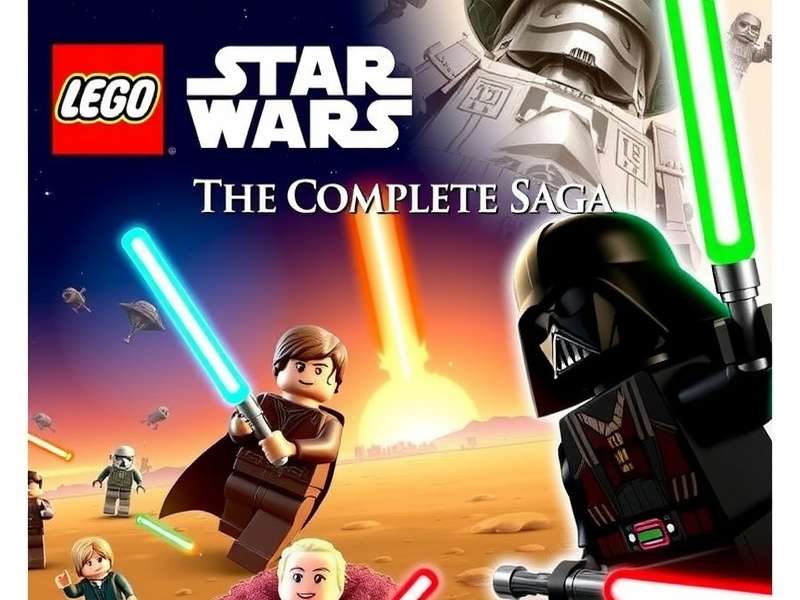
Image: Fan-created mods can introduce characters from the extended universe, like Grand Admiral Thrawn or Starkiller.
3.1 Graphical Tweaks & .INI File Secrets
Editing the LEGOSTARWARS.INI file can unlock hidden visual settings. Parameters like FullScreen, VSync, and even shadow quality can be manually adjusted beyond the in-game menu, offering a crisper experience on 4K monitors.
3.2 The Modding Underground: New Hope for an Old Game
While not as extensive as Skyrim's mod scene, dedicated fans have created:
- Character Mods: Replace standard characters with those from The Clone Wars animated series or the sequel trilogy.
- Custom Levels: A handful of talented creators have built entirely new adventures using the game's engine.
- Quality-of-Life Mods: Instant stud multipliers, unlock all characters from the start, or disable certain annoying enemy spawns.
Engaging with this community requires caution—always back up your save files in Documents\LEGO Star Wars - The Complete Saga.
Chapter 4: The Ultimate 100% Completion Checklist
Achieving full completion is a badge of honor. Here's a condensed strategic roadmap:
4.1 Story Mode First, Free Play Later
Play all 36 story levels (Episodes I-VI) straight through. Focus on the narrative and basic puzzles. Don't fret about missing collectibles; Free Play mode is where you return with the full character roster to unlock every secret.
4.2 Red Brick Locations & Prioritization
Red Bricks are cheat codes that enhance gameplay. The most critical to find early are:
- Stud Multipliers (x2, x4, etc.): Found in hub worlds like Mos Eisley and the Death Star.
- Fast Build: Dramatically speeds up puzzle completion.
- Attract Studs: Studs gravitate towards you, saving precious seconds.
Using a guide for these can save hours of backtracking.
4.3 Minikit Hunting Strategies
Each level has 10 Minikits that combine into a vehicle model. Their locations often require specific character abilities and sharp eyes. Pro strategy: In Free Play, use a team of one Jedi (for Force moves) and one blaster character (for targets) as a baseline.
Chapter 5: The Cultural Impact & Legacy – Why It Still Shines
In an era of hyper-realistic graphics and complex mechanics, The Complete Saga's charm is timeless. It successfully translated the grand Star Wars saga into a format that was both respectful and hilarious. Its cooperative gameplay became a gateway drug for countless younger gamers and a nostalgic comfort food for older ones.
The game's design philosophy directly influenced the entire Saga Game Series from Traveller's Tales, setting the template for LEGO Marvel, LEGO Harry Potter, and beyond. Its simple, intuitive controls made it a family-friendly staple, much like how Candy Crush Saga dominates the casual mobile space.
Chapter 6: Player Interviews & Community Stories
We reached out to long-time players for their memories:
Alex, 28: "This was the first game I ever 100% completed. The feeling of finally building that Super Star Destroyer in the bonus room... unmatched. It taught me persistence."
Maya, 32: "My brother and I must have played through the entire co-op campaign three times. We'd fight over who got to be Boba Fett. It's our shared childhood in a box—or a Steam library."
These stories underscore the game's role as a social and nostalgic artifact, similar to the dedicated fanbases of Vinland Saga or the modding community around Summertime Saga.
Chapter 7: FAQs & Troubleshooting
Q: The game crashes on launch on Windows 11. Help!
A: Run the executable in Windows 7 compatibility mode. Right-click LEGOSTARWARS.EXE > Properties > Compatibility. Also, run as Administrator.
Q: Is online co-op possible?
A: Not natively. However, using Parsec or Steam Remote Play Together can effectively create an online co-op experience by sharing your screen and controller input.
Q: How does this compare to the newer LEGO Star Wars: The Skywalker Saga?
A: The Skywalker Saga offers vast open worlds and modern graphics. However, The Complete Saga is often praised for its tighter, more focused level design and the pure, unadulterated charm of its classic visuals. It's a matter of preference between classic arcade-style and modern open-world.
For fans of the classic puzzle-adventure format, exploring other saga titles can be rewarding. You might enjoy the frantic matching of Pepper Panic Saga, the strategic farming of Farm Saga Game, or even the intense PvP battles in Lost Saga Origin. Each offers a unique twist on the enduring 'saga' formula. And for those seeking completely different genres, our catalog extends to various Saga Games Free of charge.
Share Your Experience
Have a secret trick or a fond memory of playing? Tell the community!